Book a demo

Watch our three demos below, then see the one you need live. These are recordings of our demos with fictional businesses and data. The live demos are shown on a call or in person.

Sakure WhatsApp Agent

Sakure WhatsApp Agent

Customers ask on WhatsApp and get an answer from your own information, and a booking if they want one. Your staff see the leads and call-backs. Pick an industry to watch it.
Screen recording of the WhatsApp Agent for a fictional real estate business: listings, a filtered search, a no-promise reply and a booked site visit.
Demo Realty (fictional business)

Real estate

Demo Realty: a buyer asks for projects, narrows to a 2BHK in Kokapet, gets a safe reply to a returns question, and books a site visit.

WhatsApp Agent for real estate
Screen recording of the WhatsApp Agent for a fictional clinic: booking, doctor timings, a declined medical question and an emergency reply.
Demo Smiles Dental & Skin (fictional business)

Clinics

Demo Smiles Dental & Skin: an appointment is booked, doctor timings answered, a medicine question declined, and chest pain sent to 108 or 112.

WhatsApp Agent for clinics
Screen recording of the WhatsApp Agent for a fictional coaching institute: batch and fee answers, a no-guarantee reply and a booked demo class.
Demo Academy (fictional business)

Coaching institutes

Demo Academy: batches, fees and seats left answered, a selection guarantee declined, and a demo class booked.

WhatsApp Agent for coaching institutes
Screen recording of the WhatsApp Agent for a fictional salon: the switch to English, the welcome menu and an opt-out of offers.
Demo Glow Salon & Spa (fictional business)

Salons and spas

Demo Glow Salon & Spa: the customer picks English, sees the menu, then asks to stop marketing messages.

WhatsApp Agent for salons and spas
Screen recording of the WhatsApp Agent for a fictional gym: plans and prices, a no-promise reply and a booked trial session.
Demo Fitness Studio (fictional business)

Gyms and fitness studios

Demo Fitness Studio: membership plans listed, one plan answered, a guaranteed-weight-loss claim declined, and a trial session booked.

WhatsApp Agent for gyms and fitness studios
Screen recording of the staff page for fictional businesses: call-back requests, leads, a hot enquiry and a health page that shows counts only.
The staff page: call-backs, leads and a health page with counts only.
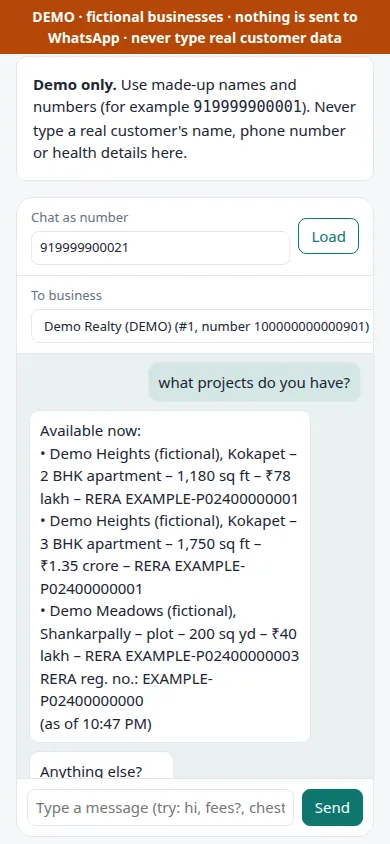
Phone screenshot: the assistant lists live projects with price and RERA number for a fictional real estate business.
Listings answered from the business's own sheet.
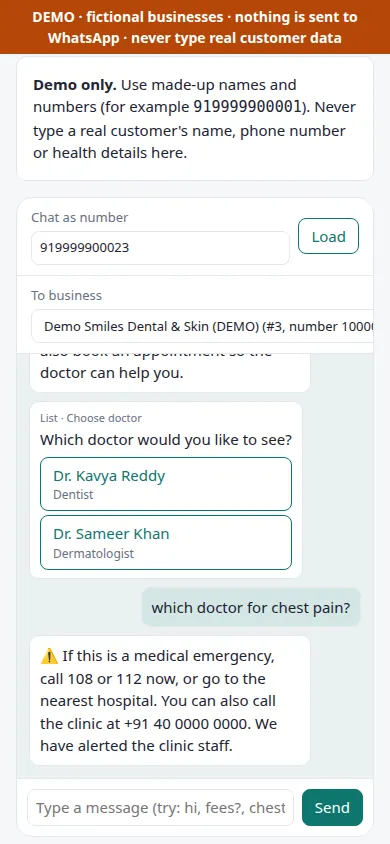
Phone screenshot: the assistant tells a patient to call 108 or 112 for chest pain and alerts clinic staff, for a fictional clinic.
An emergency message: call 108 or 112, and staff are alerted.
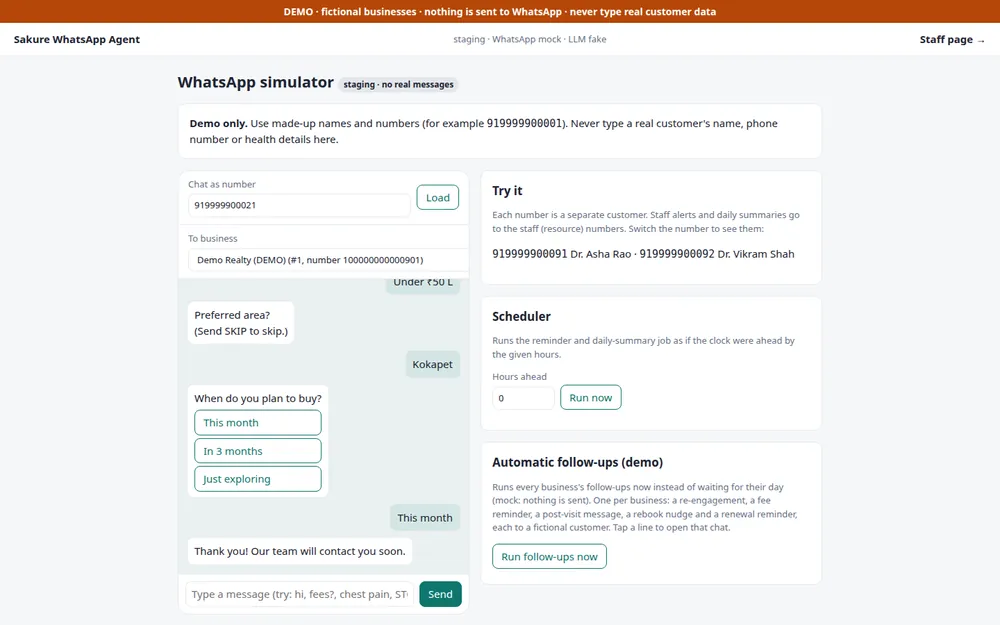
Desktop screenshot: the demo chat simulator for a fictional real estate business.
Desktop view of the demo chat.
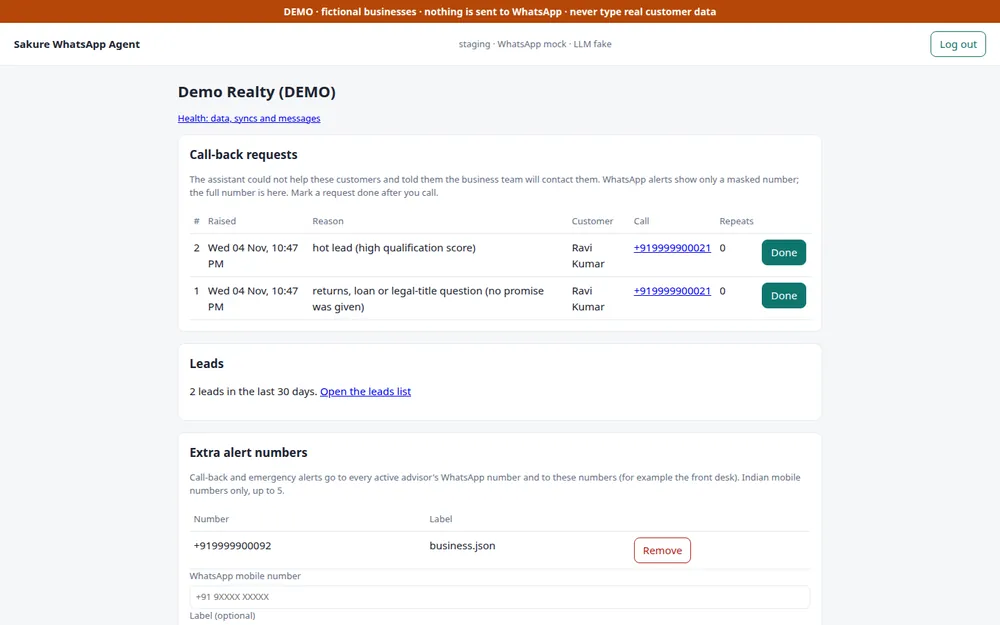
Desktop screenshot: the staff page listing call-back requests and leads for a fictional real estate business.
Desktop view of the staff page.

How a chat goes

  1. The customer picks a language.

    The assistant welcomes them and offers a short menu.

  2. They ask a question in their own words.

    Prices, timings, plans or listings come from the business's own sheet.

  3. Questions it must not answer are declined.

    Medical advice, guarantees and returns get a safe reply and a staff call-back.

  4. They book a visit, class, session or appointment.

    The day, time and address are confirmed in the chat.

  5. The enquiry reaches your staff.

    Leads and call-backs show on the staff page, with counts only on the health page.

Sakure Commerce

Sakure Commerce

An online shop for a local business, plus a counter screen for the shop itself. These two demo shops show the customer side and the counter side.
Screen recording of a phone shop for a fictional grocery: storefront, products, a product page, the cart and the shop counter bill.
Demo Kirana & Co (grocery): storefront to counter bill.
Screen recording of a phone shop for a fictional sweets seller: storefront, gift boxes, a product page, the cart and the shop counter bill.
Demo Sweets (sweets and namkeen): the same flow with a festival banner.
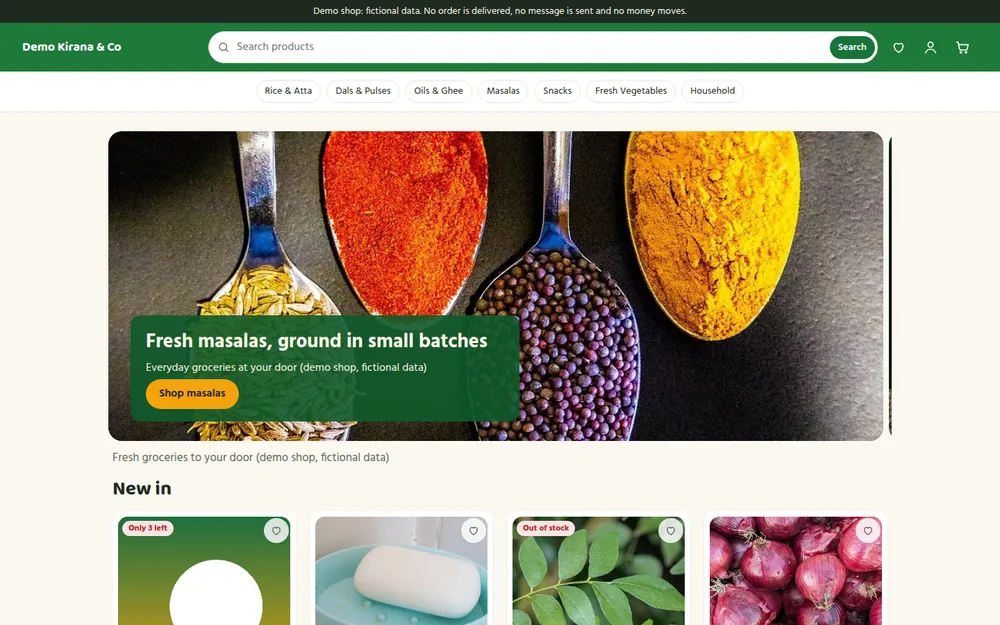
Desktop screenshot: the home page of a fictional grocery shop with a banner, category links and new products.
The shop's home page on a laptop.
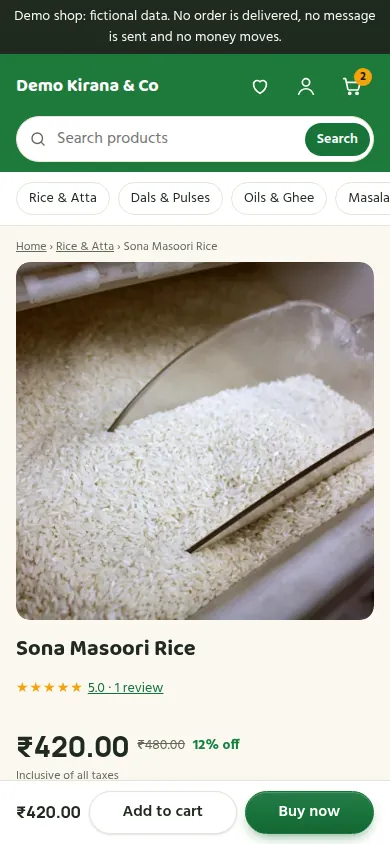
Phone screenshot: a rice product page with photo, rating, price with discount and Add to cart and Buy now buttons.
A product page with price and discount.
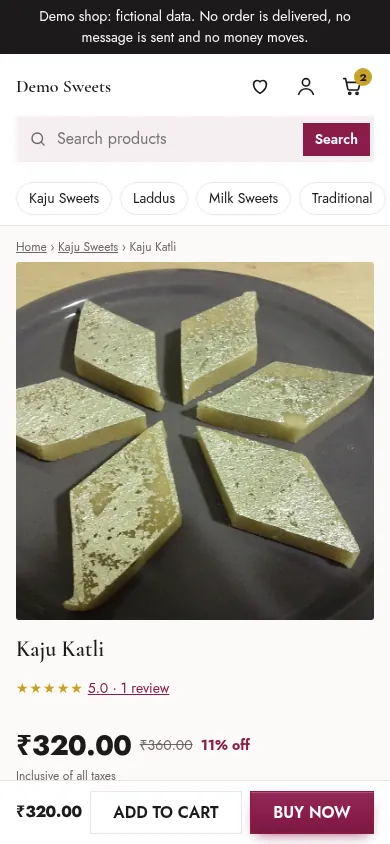
Phone screenshot: a Kaju Katli product page with photo, rating, price with discount and Add to cart and Buy now buttons.
The same page for a sweets shop.
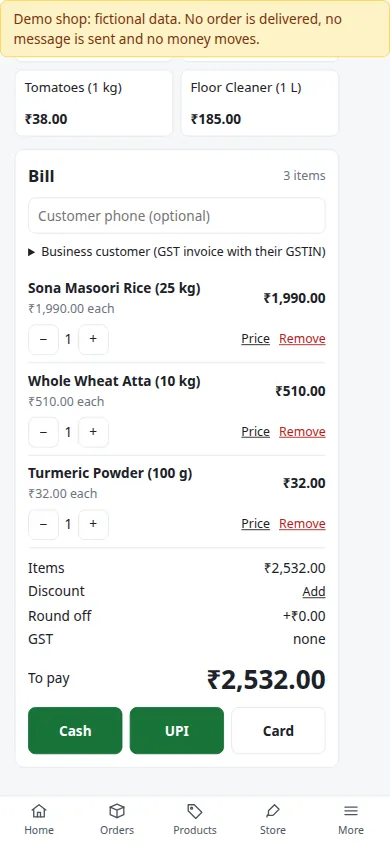
Phone screenshot: the shop counter bill with three items, the amount to pay and Cash, UPI and Card buttons.
The shop counter bill.

How a shop order goes

  1. The customer opens the shop on a phone.

    Search, category chips and a banner.

  2. They browse products.

    Prices, MRP, discounts and stock badges such as “Only 3 left” are shown.

  3. They open a product.

    Photo, rating, price and Add to cart or Buy now.

  4. They check the cart.

    Quantity buttons, a coupon box and a delivery PIN check.

  5. The shop bills a walk-in customer at the counter.

    A bill with the amount to pay and Cash, UPI or Card.

Sakure Clinic Assistant

Sakure Clinic Assistant

Patients book on WhatsApp in Telugu, Hindi or English, and the front desk sees bookings and call-backs. Medical questions are never answered by the assistant, and emergencies go to 108 or 112 and to staff.
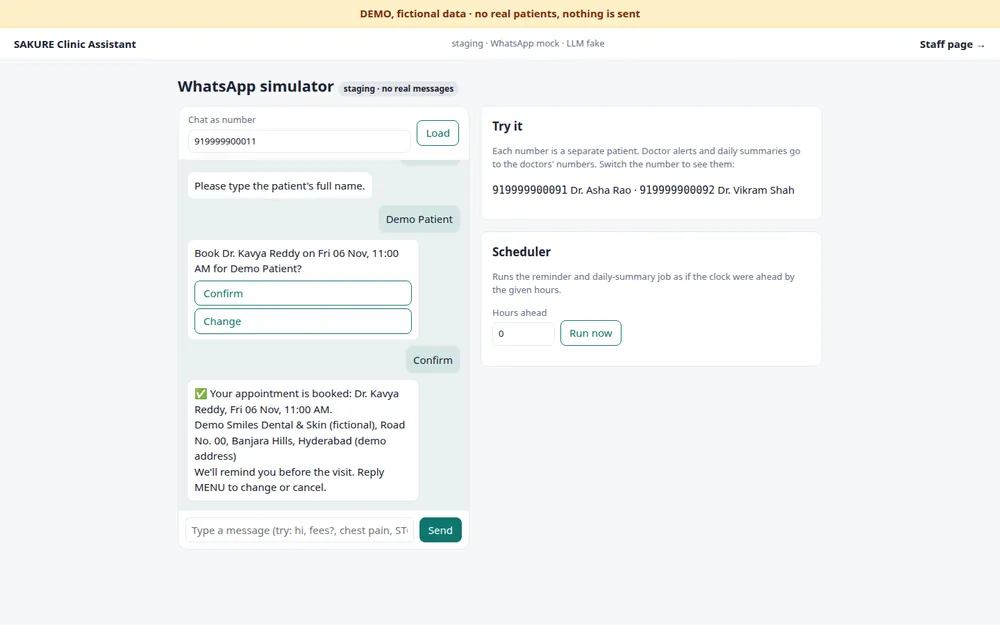
Screen recording of the Clinic Assistant for a fictional clinic: language choice, menu, choosing a doctor, free times, confirmation and the booked message.
Booking an appointment, in English.
Screen recording of the Clinic Assistant for a fictional clinic: a patient types chest pain, gets a call 108 or 112 reply, and the doctor receives an alert with a masked number.
A chest-pain message: an immediate reply and a doctor alert.
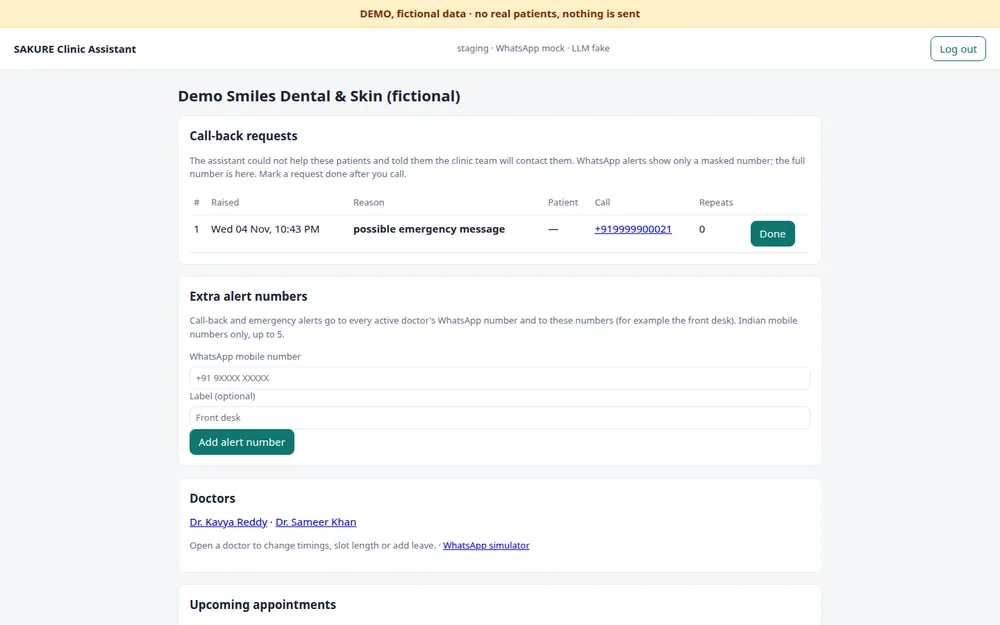
Screen recording of the clinic staff page for a fictional clinic: call-back list, alert numbers, upcoming appointments and a doctor's weekly hours.
The front-desk staff page.
Desktop screenshot: the booking confirmation with doctor, date, time and clinic address for a fictional clinic.
The booking confirmation on a laptop.
Desktop screenshot: the clinic staff page with a call-back request, alert numbers and doctors for a fictional clinic.
The staff page on a laptop.

How a booking goes

  1. The patient says hi.

    The assistant greets them and offers Telugu, Hindi or English.

  2. They choose Book appointment.

    They pick a doctor from the clinic's list.

  3. They pick a day and a free time.

    Free times appear as a list.

  4. They give the patient's name and confirm.

    The assistant asks them to confirm before booking.

  5. The booking is confirmed.

    Doctor, date, time and clinic address. Reminders before the visit are built and go live once WhatsApp templates are approved.

  6. Staff see it.

    Bookings and call-backs show on the staff page.

Book a demo.

Message us on WhatsApp or call. A free 20-minute walkthrough, in English, Telugu or Hindi. If we are not the right fit, we say so.